![Browser address bar card reading yourbusiness.com with a gold key and a tag that says Registered to: [Your Business] and Renews: [date]](https://images.leadconnectorhq.com/image/f_webp/q_80/r_1200/u_https://assets.cdn.filesafe.space/Dh5JzXc3RwJ18TWQYWXG/media/6ad762dec5c884efe3dfa843.png)
Who Owns Your Website Domain? How to Check
Your domain is the address everything points to: your website, your email, your listings and the cards in your customers' wallets. Here is how to find out who holds it and make sure you never lose it.
Key takeaways
A free public lookup shows which registrar holds your domain and when it expires.
The domain should be registered to your business, with your designer added as a user.
Turn on auto-renew, keep the card current and use an email you check.
If it already expired, call the registrar right away. Recovery windows are limited.
When an owner asks us about a new website, one of the first things we ask back is simple: who owns your domain? Many people are not sure. The person who set it up years ago, a past employee or a former web company may still hold the login. That is common and fixable.
This guide shows you how to find out who holds your domain, get it into your business's name, keep it renewed, and what to do if it already expired. It takes an afternoon and protects everything else you have online.
Why your domain matters more than your design
Your domain is the name people type to find you, like yourbusiness.com. It is registered through a company called a registrar for a set period, and it has to be renewed. If it lapses, a lot stops at once.
Your website stops loading.
Your business email ([email protected]) stops arriving.
The website link on your Google, Facebook, Yelp and Apple Maps listings goes nowhere.
Every printed card, flyer, yard sign and truck wrap points to a dead address.
A design can be rebuilt. A lost domain may not come back. That is why we look at the domain first.
Step 1: Find out who holds your domain
Start with a free public lookup. ICANN, the group that coordinates domain names, has a lookup tool. Type your domain to see which registrar holds it and when it expires. Owner details are often hidden by privacy protection, and that is normal.
Run the lookup Search for the ICANN lookup tool, type your domain and note the registrar and expiration date.
Find the account Search your email for that registrar's name. Renewal notices and receipts point to the right account.
Try to log in If you can get in, great. If someone else holds the login, note who and go to Step 4.
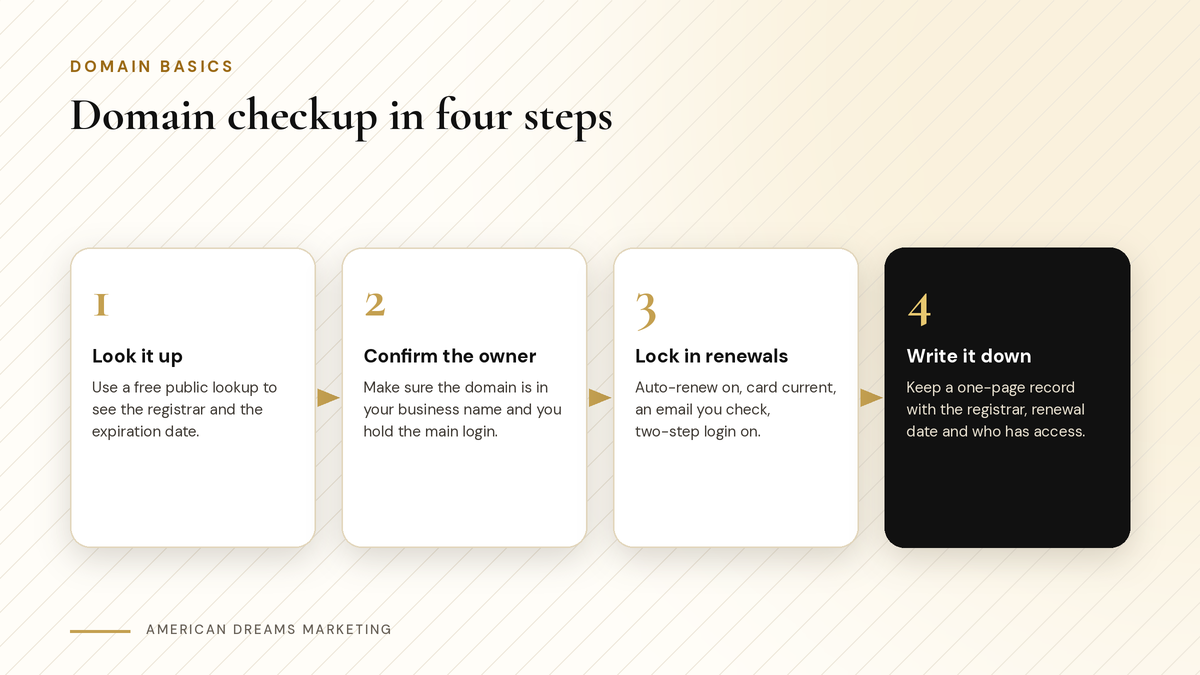
Look it up, confirm the owner, lock in renewals and write it down.
Step 2: Put it in your business name and hold the main login
The registrant, the owner contact on the domain record, is who controls the domain. That should be your business. Your web designer or office manager can be added as a user, but the main login should be yours.
A simple rule: you own it, others get access.
Account | Who should own it | Who can have access |
|---|---|---|
Domain registrar account | Your business, with your login | Your web designer as a user |
Website platform | Your business | Your web team |
Business email | Your business | Staff with their own mailboxes |
DNS host | Your business (often the registrar) | Your web designer |
Google Business Profile | Your business as primary owner | Staff or your agency as managers |
Step 3: Lock in your renewals
A domain is usually lost by accident: a renewal notice goes to an old inbox or the card on file runs out. A few settings prevent that.
Checklist
Renewal settings to check today
Auto-renew is turned on.
The card on file is current, with a reminder to update it before it expires.
The account email is one you control and check, not a past employee's address.
Two-step login is turned on.
If your website runs on the American Dreams platform, you can use a domain you already own or buy a new one under Settings, then Domains & URL Redirects. Purchased domains come with WHOIS privacy protection, and most can be registered for up to 10 years up front (the .co family up to 5). Purchases are final, so check the spelling.
Pro tip: Connecting a domain you already own
On the American Dreams platform, an existing domain can connect automatically with supported providers, or you add the DNS records it gives you at your registrar. DNS changes can take up to 24 hours to show everywhere.
Step 4: If the login is with someone else
This happens a lot, and it is often simple to sort out. Ask politely, in writing, and say exactly what you need.
〉 Sample request
Hi [First Name], thanks again for setting up [yourbusiness.com] for [Your Business]. We are organizing our accounts and would like the domain in an account in our name. Could you move it there, or send the authorization code so we can transfer it? Thank you!
To move a domain to a new registrar, the current holder turns off the transfer lock and gets the authorization code (also called the EPP code). Then you start the transfer at the new registrar. Transfers are usually not allowed within 60 days of a new registration or a previous transfer. On the American Dreams platform, an eligible purchased domain can be transferred out with an EPP code.
Heads up: Be careful with DNS records
A and CNAME records point your domain to your website, MX records route your email and TXT records prove ownership or allow sending. Never delete MX records unless you know what replaces them.
Step 5: If your domain already expired
Call or message the registrar right away. After a domain expires and the normal renewal window passes, it can enter a redemption period. Recovery is still possible then, but it costs extra (a redemption fee) and the window is limited.
If nobody recovers it, the domain can be deleted and anyone may register it. Have your login and card ready when you call.
Write it all down on one page
Once everything is in order, put it on one page and keep it with your business records.
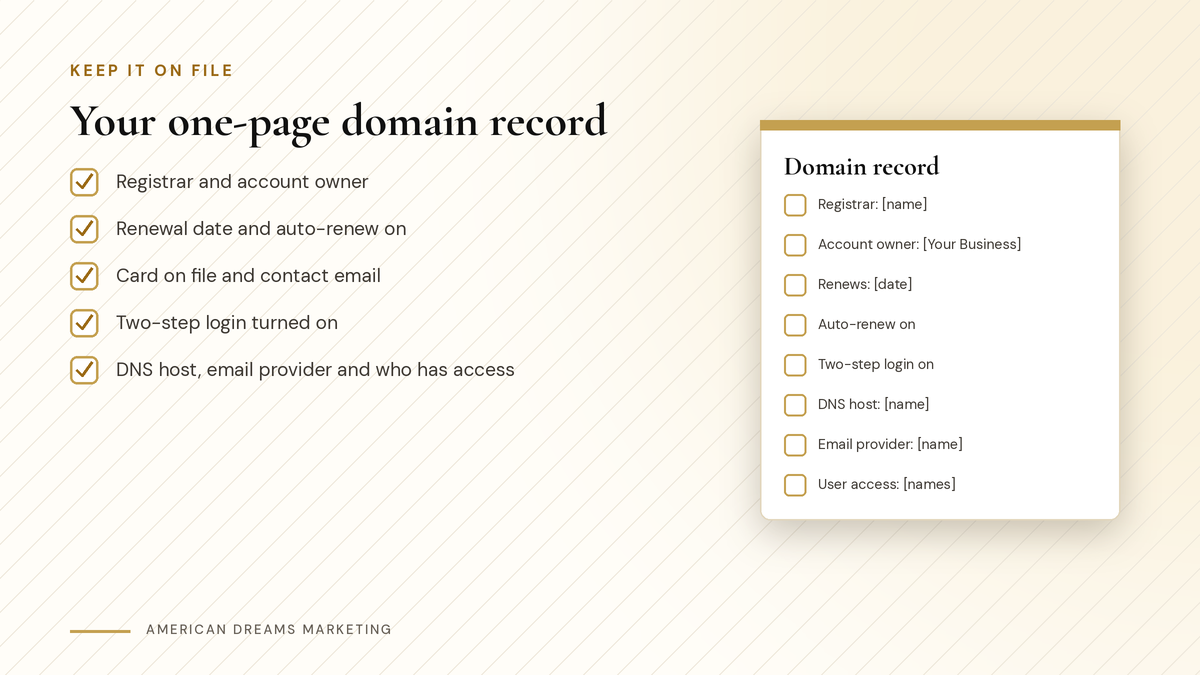
Fill this out once and update it when anything changes.
Before you change any listing, make sure the website link on it keeps working. Our guide Is Your Business Info the Same Everywhere? A Simple Listings Cleanup for Better Near Me Results walks through that. If you are budgeting for a new site, see How Much Does a Website Cost for a Small Business?.
Through Nov 15, American Dreams Marketing has a holiday website special: websites starting at $1,500, with Google setup and QR code customer capture included. It is limited to 5 spots, and connecting your domain is part of the build. Book a free discovery call and we will look at your domain and website setup together.
Frequently asked questions
How do I find out who owns my website domain?
Use the free ICANN lookup tool. It shows which registrar holds the domain and when it expires. Owner details are often hidden, so search your email for that registrar's name to find the account.
My web designer set up my domain. Is that a problem?
Not at all, it is very common. Ask them politely to move the domain into an account in your business's name, then add them back as a user so they can keep helping.
What happens if my domain expires?
Your website, business email and listing links stop working. After the renewal window it can enter a redemption period, where recovery costs extra. If nobody recovers it, it can be deleted and anyone may register it.
How do I transfer my domain to my own account?
The current holder turns off the transfer lock and gets the authorization code, also called the EPP code. You start the transfer at the new registrar. Transfers usually are not allowed within 60 days of registration or a previous transfer.
What DNS records should I be careful with?
Be careful with MX records, because they route your email. A and CNAME records point the domain to your website, and TXT records prove ownership or allow sending. Never delete MX records unless you know what replaces them.
Can American Dreams Marketing set this up for me?
Yes. We build your website on the American Dreams platform and connect your domain as part of the build. Through Nov 15, websites start at $1,500 with Google setup and QR code customer capture included, limited to 5 spots.
Know who owns your domain before you build
We build your website on the American Dreams platform and connect your domain as part of the build. Through Nov 15, websites start at $1,500 with Google setup and QR code customer capture included, limited to 5 spots.
