![Booking card titled Holiday Wreath Workshop for [Your Business] with three dates, a gold 3 seats left pill and a small admit one ticket stub](https://images.leadconnectorhq.com/image/f_webp/q_80/r_1200/u_https://assets.cdn.filesafe.space/Dh5JzXc3RwJ18TWQYWXG/media/6ad762dd989628c77aa07b0f.png)
Sell Class and Workshop Spots Online | ADM
When people can grab a seat online, you stop taking names on sticky notes and guessing who will show up. Here is how to set a seat limit, sell tickets and send reminders before your holiday workshops.
Key takeaways
Use a class calendar for classes that repeat and an event for one-time workshops.
Set your seat limit from the room and your supplies, not a guess.
Write a description that covers what to bring, parking, age limits and refunds.
Send a reminder before class and a thank-you with a link to book the next one.
You plan a holiday wreath night, a cookie decorating class or a Saturday paint session. Then sign-ups come in by text, comments and sticky notes, and you are not sure who paid or how many chairs to set out. Selling spots online fixes that. People pick a date, grab a seat and get a reminder, and sign-ups stop when you are full.
This guide is for yoga and fitness studios, dance schools, paint-night studios, cooking classes, garden centers, boutiques, trainers and contractors hosting a homeowner info night. November and December bring holiday workshops, so now is a good time to set it up.
Pick the right tool: class calendar or event
The American Dreams platform gives you two ways to sell spots. A class booking calendar is built for classes that repeat. An event is built for one-time workshops and ticketed nights.
Class booking calendar | Event | |
|---|---|---|
Repeats or one-time | Repeats, like every Tuesday and Thursday evening, plus extra dates | One date, like a holiday wreath night |
Signing up | Book a seat on a date, and each date has its own seat count | Pick a paid or free ticket, or RSVP for free |
Paying | Optional class fee at booking | A price per ticket type, or free |
At the door | Bookings show as appointments | QR code check-in and a registrations list |
Best for | Yoga, dance, fitness and weekly art classes | Seasonal workshops, paint nights and info nights |
Booking one person at a time instead, like a lesson or a consult? See Online Booking With Automatic Reminders: How Service Businesses Cut No-Shows Without Extra Staff.
Set your seat limit from the room, not a guess
Your seat limit should come from real things: how many people fit at your tables, how many mats fit on the floor, and how many supply kits you can prep.
On a class calendar, you set the seats per class, and once they are full, no more bookings are taken for that session. On an event, each ticket type gets its own quantity, plus a total capacity across all tickets.
Pro tip: Show how many spots are left
On a class calendar, turn on Show seats per slot. People see how many spots are left on each time, which helps them decide now.
Heads up: Two limits worth knowing
A class calendar has one host, so make one calendar per instructor. Each person books one seat, so a parent signing up two kids books twice. Say so in your description.
Write a description that answers the questions
Many questions you get by text can be answered on the booking page. A class calendar has a class name, a description shown on the booking page, the instructor, a custom booking link and the class length. An event has a name, cover image, short summary, description, date, time and time zone.
Checklist
What to put in the description
What to bring, and what is included in the price.
Where to park and which door to use.
Age limits, and whether kids need a grown-up with them.
Your refund and reschedule rule, in one or two plain sentences.
For an in-person event, add the address and the page shows a map with a Get directions button. For an online event, the meeting link stays hidden until it starts, or on a schedule you set.
Price per seat or a free RSVP
A class calendar can take the class fee at booking through your connected payment processor. An event can be ticketed, with paid and free ticket types on the same event, or an RSVP event with no payment step. You cannot switch between the two after you create it, so decide first.
Each ticket type gets its own price, seats and sale period, like an early-bird ticket that stops selling on a set date.
Event coupon codes work for an early-bird style offer to past students.
A registration deadline closes sign-ups in time to buy supplies.
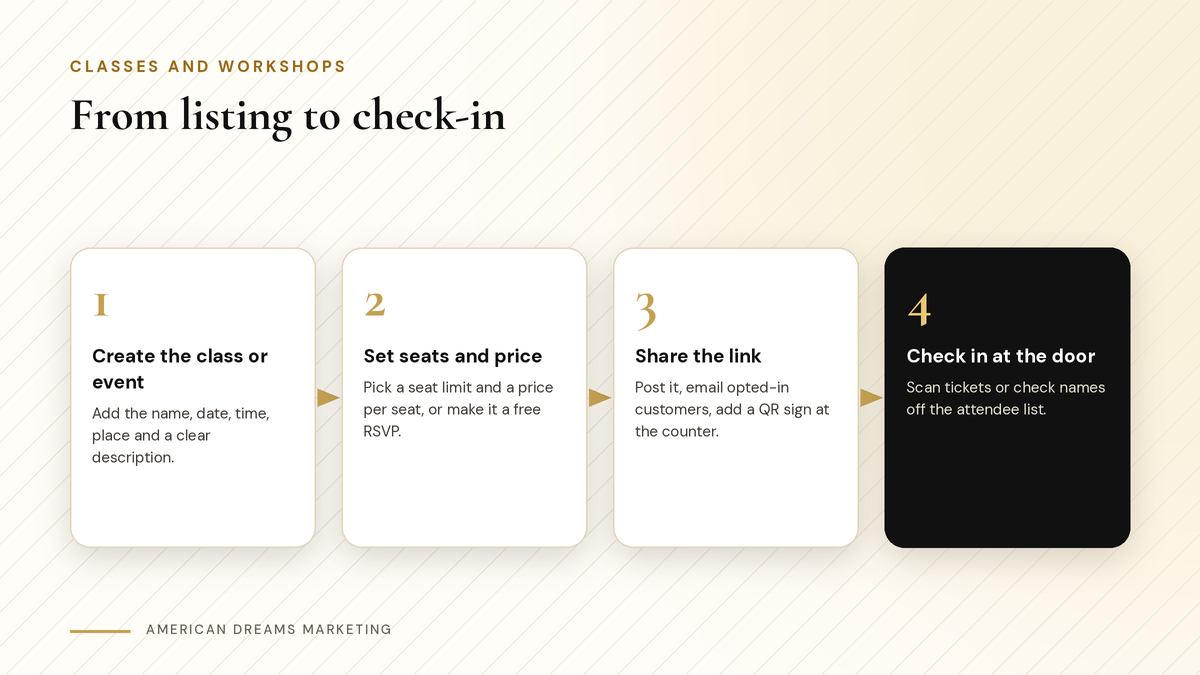
Create the class or event, set seats and price, share the link, then check people in at the door.
Get the word out
Publish your event and share the link or embed it on your website. Put your class calendar link there too, so people can book any time.
A QR sign at the counter that opens the booking page. For ideas, see QR Codes That Collect Customer Info at Markets and Events (So the Season Does Not End When the Tent Comes Down).
Social posts with a photo from a past class and the link.
An email or text to customers who opted in to hear from you.
〉 Sample message
Hi [First Name], our Holiday Wreath Workshop at [Your Business] is open. Pick your date and grab a seat here: [link]. Seats are limited to what fits at our tables.
Reminders before class and a thank-you after
A class calendar sends automatic confirmations, reminders before class and follow-ups after, by email, text or WhatsApp, with calendar sync. If your reschedule policy allows it, people can move to another date on their own. Events send confirmation and reminder emails, and you get an alert for each new registration plus a daily summary.
〉 Sample reminder
Reminder from [Your Business]: your class is on [date] at [time]. Please bring [item]. Parking: [details]. See you soon!
After class, send a thank-you with a link to book the next one, while the fun is still fresh.
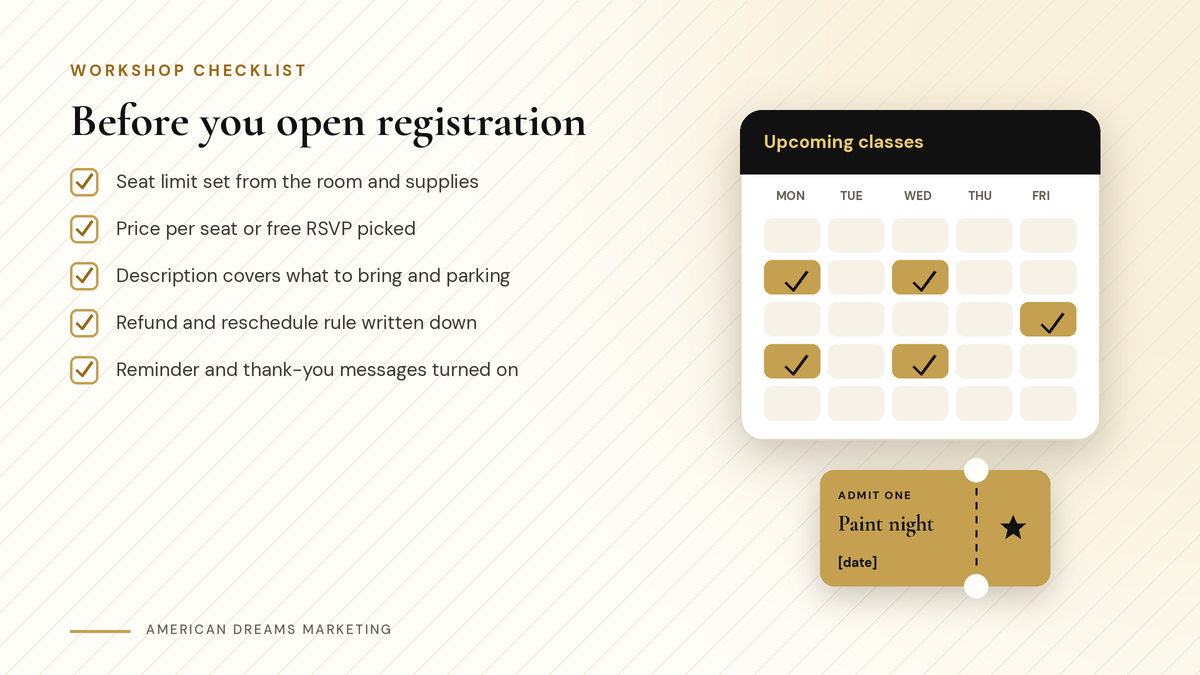
Run through this list before you share the booking link.
Test it, then check people in at the door
Keep a new event in test mode while you try a sign-up yourself, then turn on Live mode. On the night, use QR code check-in at the door. The registrations tab shows who signed up and lets you add a walk-in by hand. Afterward, duplicate the event for next time.
Want help setting up classes, workshops and reminders before the holidays? Book a free discovery call and we will walk through it with you.
Frequently asked questions
How do I sell tickets for a workshop online?
Create an event on the American Dreams platform, add ticket types with a price or free, set the seats and a registration deadline, then publish it and share the link. People get a confirmation email after checkout.
What is the difference between a class calendar and an event?
A class calendar is for classes that repeat, with a seat count on each date. An event is for a one-time workshop or night, with paid or free tickets or RSVPs and QR code check-in at the door.
Can I stop bookings when a class is full?
Yes. On a class calendar, once the seats per class are full, no more bookings are taken for that session. On an event, each ticket type has a quantity and you can set a total capacity.
Can a parent book two kids at once?
Not in one booking on a class calendar. Each person books one seat, so a parent books twice, once for each child. Say that in your description so parents know ahead of time.
Can people reschedule a class on their own?
Yes, on a class calendar, if your reschedule policy allows it. You decide how many hours before class a reschedule is still allowed, and each date keeps its own seat count.
Can American Dreams Marketing set this up for me?
Yes. We set up your class booking calendars or events on the American Dreams platform, with seat limits, prices or free RSVPs, a clear description, reminders, a thank-you message and a booking link for your website.
Fill your holiday workshops without the sticky notes
We set up class calendars, ticketed events, reminders and follow-up messages on the American Dreams platform, so people can grab a seat and you know who is coming.
