![AI chat window with a customer name replaced by the placeholder [CLIENT A] and a gold shield with a lock, next to the post title](https://images.leadconnectorhq.com/image/f_webp/q_80/r_1200/u_https://assets.cdn.filesafe.space/Dh5JzXc3RwJ18TWQYWXG/media/6ad60ea5f9a985d42c13f899.png)
Is It Safe to Use ChatGPT for Your Business? What to Share, What to Keep Out and Which Settings to Check
AI assistants can draft your emails and review replies in minutes. Before you paste in a customer's message, know what is fine to share, what to clean up first, what never goes in and which settings to check.
Key takeaways
It can be safe for everyday business writing if you keep private details out.
Green is fine, yellow needs placeholders like [CLIENT A], red never goes in.
Check chat history, memory, model improvement, connected apps and shared logins.
AI can sound sure and still be wrong. A person reads every draft first.
You have a stack of customer emails to answer and a review that needs a reply. ChatGPT could draft all of it before your coffee gets cold. Then a question stops you: is it safe to paste this in? Where does it go?
The short answer: for everyday business writing, it can be, if you follow a few simple rules. This guide covers what is fine to share, what to clean up first, what never goes in, the settings to check and a one-page rule sheet for your team. The same rules apply to Claude, Gemini and any other AI assistant.
Safe enough, with a few rules
An AI assistant is a tool, like email or a shared drive. Most of the risk comes from what you type in and from trusting answers without checking them. The two mistakes to avoid are simple: pasting in something private, and sending an AI draft to a customer without reading it.
Think before you paste. If you would not write it on a postcard, do not put it in a chat.
Check your settings once. A few minutes up front decides what gets saved and who can see it.
A person reads everything before it reaches a customer.
Green, yellow, red: what to share
Sort information into three colors before you paste anything.
When in doubt, treat it as red.
Green: fine to share | Yellow: clean it up first | Red: never paste |
|---|---|---|
Public info: services, hours, service area | Customer emails, with names and addresses swapped out | Passwords, PINs and login codes |
Your own rough drafts | Reviews, with the reviewer's name removed | Card numbers and bank details |
General how-to questions | Job notes, using [CLIENT A] instead of a name | Social Security or other ID numbers |
Notes with no names | Complaints, with details trimmed | Private health details, employee records, full customer lists with contact info, anything under a confidentiality agreement |
Placeholders are what make yellow safe. Swap each real detail for a label, get the draft back and fill in the real details yourself. The AI does not need to know who the customer is to write a kind, clear reply.
〉 Try this prompt
Write a friendly reply from [Your Business] to [CLIENT A], who asked to move their [service] appointment from [date] to next week. Offer two times: [time] or [time]. Keep it short and do not promise any refund or price change.
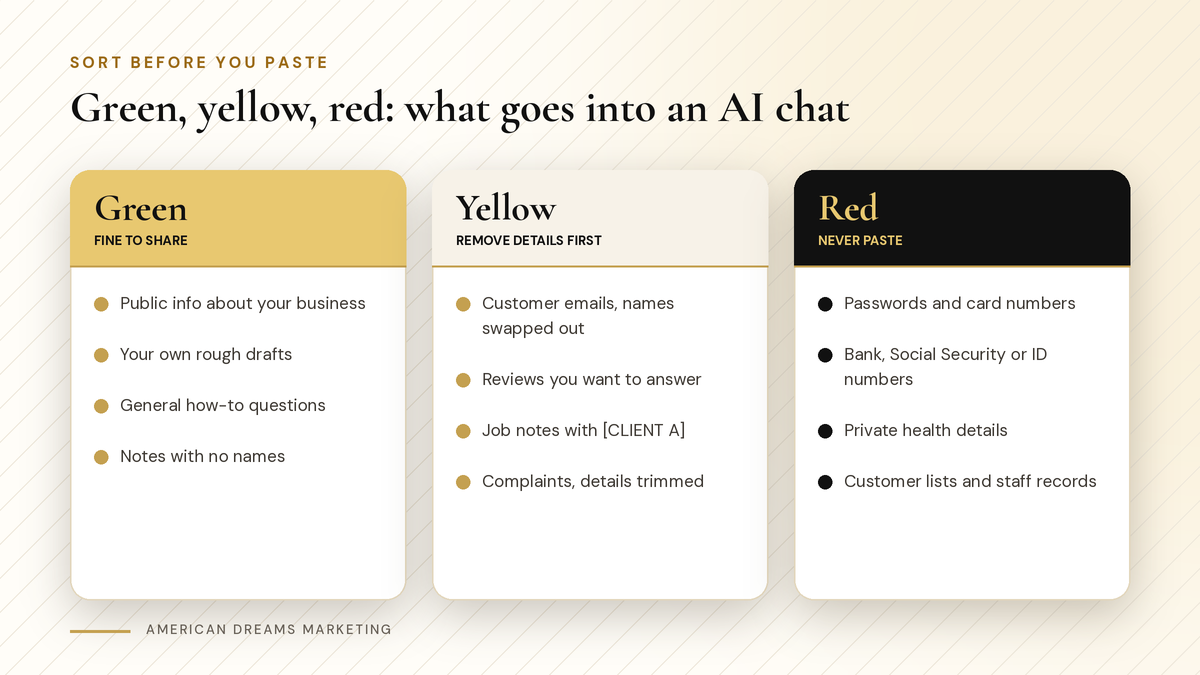
Sort before you paste. Green is fine, yellow needs placeholders, red stays out.
Heads up: Do not copy straight from customer records
It is tempting to paste a whole record or an exported list to save time. Do not. Pull out only the part you need, swap names and contact details for placeholders and leave the rest where it is.
Five settings to check before your first real task
Most assistants have settings for chat history, memory and whether your chats may be used to improve their models. Names and defaults vary by tool and change over time, so read the provider's current privacy page and check your own settings screen.
Check these once, then every few months
Chat history See whether chats are saved, how to delete them and whether there is a temporary chat option.
Memory Some assistants remember facts about you between chats. Review what it saved and remove anything you would not want kept.
Model improvement Find the setting for whether your chats may be used to improve the models, and choose what fits your business.
Connected apps and files If it can reach your email, calendar or cloud drive, check which accounts and folders it can open.
Who shares the login On a shared account, everyone can see everyone's chats. Use separate logins where you can.
Pro tip: Business plans can come with different terms
Business and team plans often come with different data terms than free personal accounts. If several people will use AI every day, compare plans on the provider's own site and read the terms before you pay.
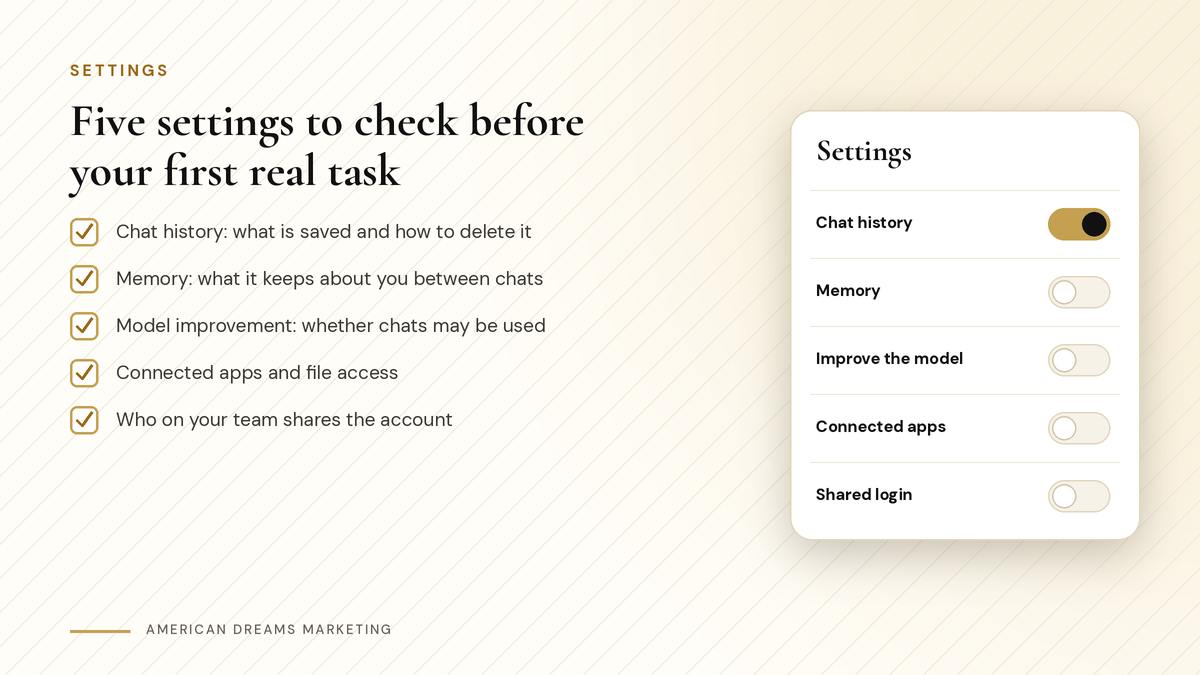
Five settings to check before your first real task. Look again whenever the app changes.
AI can sound sure and still be wrong
Safety is not only about privacy. AI writes in a confident, polished voice even when it is guessing. It can get a price wrong, mix up a date or describe a rule that does not apply where you work.
Checklist
Always check these by hand
Prices, fees and anything with a dollar sign
Dates, hours and deadlines
Laws, permits, licenses and tax rules
Warranty terms and return policies
Any promise about results or timing
Never let an AI draft promise a refund, a special price, a result or a finish date you did not decide on. Write those details in yourself. Most important of all: a person reads every word before it reaches a customer.
If a customer will read it, a person reads it first.
Write a one-page AI rule sheet for your team
If anyone else uses AI for your business, put the rules on one page. Plain rules on one sheet work better than a long policy, because people read them.
Team AI rule sheet
What to put on the page
Which AI tools are approved, and which account to use
The green, yellow and red lists from this post
Use placeholders like [CLIENT A] for any customer detail
Never paste passwords, card numbers, ID numbers or health details
A person reads every AI draft before it is sent or posted
Who to tell if something private gets pasted by mistake
That last line matters, because mistakes happen. If someone pastes something they should not have, delete that chat and tell the owner. If a password went in, change it right away.
Want a guided start?
Brand new to AI? Our post ChatGPT for Beginners: How Small Business Owners Can Start Using It This Week walks you through simple first tasks. ChatGPT for Beginners ($19.99) has a chapter on privacy and safety and one on what to do when things go wrong. The 7-Day AI Quick-Start ($12) gives you one short lesson a day, and Day 2 covers setting up your assistant safely, with a never-paste list.
Want AI helping your business without the guesswork? Book a free discovery call and we will show you what the American Dreams platform can take off your plate.
Frequently asked questions
Is it safe to put customer information in ChatGPT?
Only after you remove anything that identifies the person. Swap names, addresses and contact details for placeholders like [CLIENT A], then add the real details yourself. Never paste card numbers, ID numbers or health details.
Is ChatGPT safe for business use?
For everyday writing like emails, posts and review replies, it can be, if you keep private data out, check your settings and have a person read every draft. The same goes for Claude and Gemini.
Does ChatGPT save what I type?
Most assistants have settings for chat history, memory and whether chats may be used to improve their models. These change over time, so check your settings and read the provider's current privacy page.
What should I never paste into an AI chat?
Passwords, card numbers, bank details, Social Security or ID numbers, private health details, full customer lists, employee records and anything under a confidentiality agreement. When in doubt, leave it out.
Should my business pay for a team plan?
If several people use AI every day, it is worth comparing plans. Business and team plans often come with different data terms. Read the terms on the provider's own site before you decide.
Can American Dreams Marketing set this up for me?
Yes, we can help. On a free discovery call we will go over safe settings and a simple team rule sheet with you, and show you where the American Dreams platform can take everyday tasks off your plate.
Use AI with clear rules
American Dreams Marketing helps small businesses put AI to work where it saves real time, with simple rules and a person checking every result, on the American Dreams platform. Book a free discovery call to see what fits.
