Facebook and Instagram Lead Ads: Send Every Lead Straight to Your CRM and Follow Up Fast
A lead ad lets someone ask for a quote without ever leaving Facebook or Instagram. Their name and contact details fill in for them, and a couple of taps later you have a lead. The part that decides whether it turns into a job is what happens in the next few minutes.
Key takeaways
Map every lead form question to a field in your CRM so nothing gets lost.
Ask one or two qualifying questions, like the service and the town, to cut down on low-quality leads.
Start a follow-up the moment the form is submitted: a reply, an alert and a reminder sequence.
Judge the ads by booked jobs in your CRM, not only by the number of leads.
Someone scrolling Instagram on their lunch break sees your ad for fall gutter cleaning. They tap Get a quote, a short form pops up with their name and phone number already filled in, and they hit Submit. They are interested right now. By tomorrow, they have scrolled past a lot more posts and may not remember your name.
That is the promise and the problem with lead ads. They make it easy for people to raise their hand, and just as easy to forget they did. When the form connects straight to your CRM, every lead is saved, you get an alert and a friendly follow-up goes out while you are still on their mind. Here is how to set it up and what to put in the form.
What a lead ad is
A lead ad is a Facebook or Instagram ad with a built-in form, sometimes called an instant form. Instead of sending people to your website, the form opens inside the app. It can collect a name, email and phone number, plus a few custom questions you write.
Both can work. Lead ads make it easier to say yes, so a good follow-up matters even more.
Lead ad with an instant form | Ad that sends people to your website | |
|---|---|---|
Effort for the customer | A few taps, details filled in | Load a page, find the form, type it all |
What they learn about you | Only what is in the ad | Your services, reviews and photos |
Lead quality | Can be mixed if the form is too easy | People who finish have usually read more about you |
Best for | Quotes, bookings, seasonal offers | Bigger jobs where people want to research |
Good to know: Ad spend stays with your ad account
The ads themselves are paid through your Meta ads account. Connecting the lead form to your CRM changes where the leads go, not how the ads are billed.
Connect the form to your CRM
Five setup steps
Connect your Facebook page and ad account This links the ads to the CRM, so new leads can flow in.
Pick the lead generation goal Choose lead generation as the campaign objective when you build the ad.
Create or choose your instant form Write the questions, the intro and the thank-you screen.
Map every field Match name, email, phone and each custom answer to a field in your CRM. Unmapped answers can get lost.
Send a test lead Submit the form yourself and check that the contact, the answers and the follow-up all show up.
Pro tip: Map the custom questions, too
It is easy to map name and phone and forget the question about the service or the town. Those answers are what tell you whether to call back today or tomorrow.
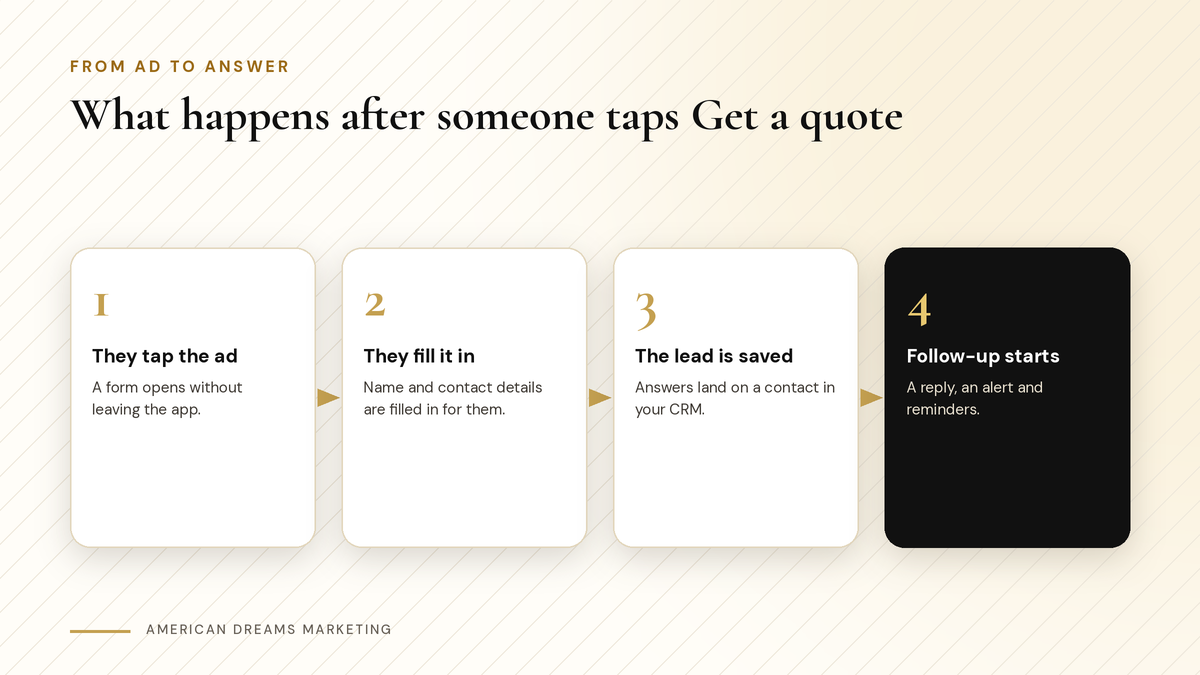
The ad collects the lead. The CRM saves it and starts the follow-up.
Write a form that brings in real leads
Because lead forms are so quick, some people tap through without thinking. A little friction in the right place helps you get leads who actually want the job done.
Ask one or two qualifying questions. Which service, which town and how soon. People who answer are usually serious.
Use a short intro that says exactly what they are asking for and what happens after they submit.
Add consent wording if you plan to text them, with separate optional boxes for reminders and promotions.
Make the thank-you screen useful. Tell them when you will reach out. Where it is supported, a Book time button can let them pick an appointment from your calendar on the spot.
Heads up: Some ads have extra rules
Ads about housing, jobs, credit and some other topics fall under Meta's special ad categories, with limits on how you can target them. If your business is in one of those areas, check the rules before you launch.
Follow up while they still remember you
A workflow can start the moment a lead form comes in. Set it up once and every lead gets the same quick, friendly treatment, even on a busy Saturday.
An instant text or email that thanks them by name and asks the next question.
An alert to you or your office with their answers.
A card on your sales board so the lead does not slip through the cracks.
A few gentle reminders over the next several days, and they stop as soon as the person replies or books.
〉 Sample first text
Hi [First Name], this is [Your Name] with [Your Business]. Thanks for asking about [service] in [town]. Is it okay if I call you today, or would you rather pick a time here: [booking link]? Reply STOP to opt out.
If you let leads book themselves, automatic reminders keep those appointments from turning into no-shows. More on that in our guide to online booking with automatic reminders.
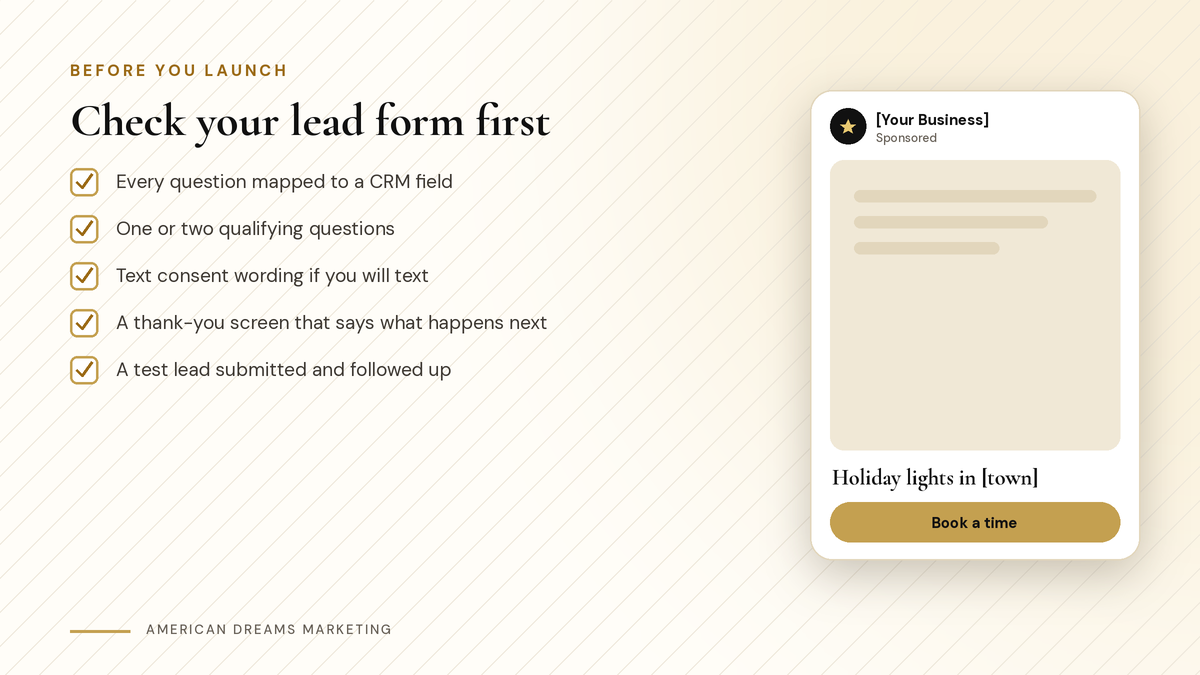
Five checks before your lead ad goes live.
Know if it is working
Give a new ad a little time before you judge it, and change one thing at a time: the picture, the headline or the offer. If you change everything at once, you will not know what made the difference.
The ad dashboard shows how many leads you got and what each one cost. Your CRM shows what happened next: who replied, who booked and who became a paying customer. Look at both. An ad with fewer leads that turn into real jobs is worth more than one that fills your list with people who never answer.
Want help writing the form and the follow-up? Book a free discovery call and we will set it up on the American Dreams platform so every lead lands in one place.
Frequently asked questions
What is a Facebook lead ad?
It is an ad on Facebook or Instagram with a built-in form that opens inside the app. People can request a quote or more information without visiting your website.
How do I get Facebook leads into my CRM?
Connect your Facebook page and ad account to your CRM, then map each lead form field to a CRM field. New leads land as contacts and can start a follow-up workflow.
Do lead ads work on Instagram too?
Yes. Lead ads can run on Instagram as well as Facebook when you pick those placements and connect your Instagram account.
How do I get better quality leads from lead ads?
Ask one or two qualifying questions, like the service, the town and the timeline, and use a short intro that says exactly what they are signing up for.
How fast should I follow up on a lead?
As soon as you can. An automatic text or email can go out the moment the form is submitted, followed by a call or a booking link.
Can a lead book an appointment from the ad?
Where it is supported, the thank-you screen can show a Book time button that lets the lead pick a time from your calendar.
Turn ad clicks into booked jobs
American Dreams Marketing connects Facebook and Instagram lead ads to the American Dreams platform, with instant replies, alerts and reminders for every lead. Book a free discovery call to get yours set up.
