ChatGPT, Claude or Gemini? How to Pick Your First AI Assistant for a Small Business
All three are capable, and any of them can take real work off your plate. The best choice is the one that fits how you already work. Here is a plain-English way to decide.
Key takeaways
The everyday jobs (emails, posts, summaries, checklists) are similar across all three.
ChatGPT is a sensible all-rounder; Claude suits heavy writing and long documents; Gemini fits Google-based businesses.
Still unsure? Run the same three tasks in each and keep the one you had to fix the least.
Each has a $19.99 beginner guide; the 5-Pack ($59) and Complete AI Bundle ($79) cover more.
If you are new to AI, the first question is usually not "how do I use it?" It is "which one am I supposed to use?" ChatGPT, Claude and Gemini all show up in the news, your friends all have a favorite, and each one keeps adding features.
Here is the good news: all three are capable, and any of them can take real work off your plate. This guide gives you a plain-English way to decide, a simple test to settle it, and the habits that matter no matter which one you choose.
What any of them can do for a small business
Before we compare, it helps to know that the everyday jobs are similar across all three:
Drafting emails, replies and follow-ups
Writing website copy, product descriptions and social posts
Summarizing long documents and email threads
Turning messy notes into checklists, procedures and plans
Brainstorming ideas, names, offers and headlines
All three can also be wrong while sounding sure of themselves, so whichever you choose, you will check important facts before they go out. Each of my beginner guides shows you how.
OpenAI released ChatGPT to the public on November 30, 2022, as a "research preview."
Source: OpenAI, Introducing ChatGPT
The short version: how they differ
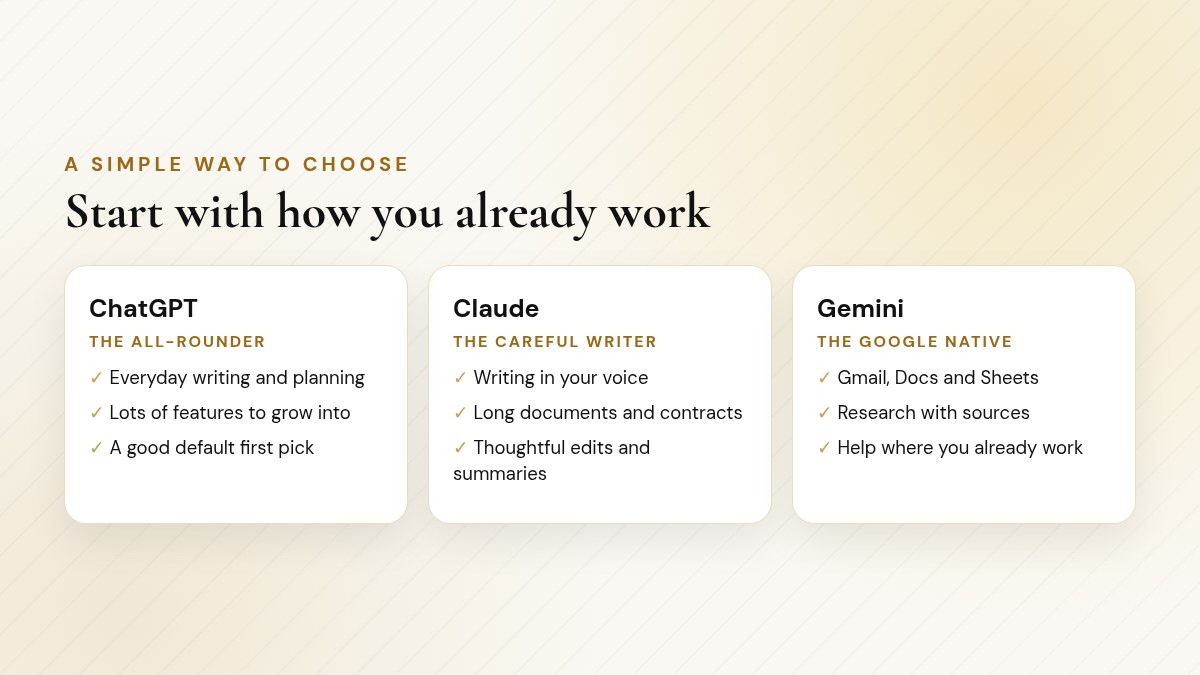
A simple starting point: pick the one that matches how you already work.
Features change often. Each guide shows you where to confirm current plans.
ChatGPT | Claude | Gemini | |
|---|---|---|---|
Made by | OpenAI | Anthropic | |
Think of it as | The all-rounder | The careful writer and reader | The one already in your Google apps |
Great for | Everyday writing and planning | Proposals, newsletters, long documents | Gmail, Docs and Sheets workflows |
Features to grow into | Projects, memory, files, voice, images, research | Projects, Skills, connectors, agent tools | Gemini in Google apps, Deep Research, Gems |
Beginner guide | 85 pages, 160+ prompts | 87 pages, 150+ prompts | 74 pages, 150+ prompts |
Guide price | $19.99 | $19.99 | $19.99 |
ChatGPT: the all-rounder
If you want one general assistant for everyday writing and planning, ChatGPT is a sensible default. It has a wide range of features to grow into (Projects, memory, file uploads, voice, images, research and document tools). ChatGPT for Beginners covers setup, a tour of the screen, plans, the models in plain English, every major feature, and a 30-day plan.
Claude: the careful writer and reader
If you write a lot (proposals, newsletters, client emails) or deal with long documents like contracts and reports, Claude is worth a close look. Many people find its writing natural and its summaries careful. Claude for Beginners walks through setup, how to prompt Claude, its models, and features like Projects, Skills, connectors and its agent tools, step by step.
Gemini: the one already in your Google apps
If your business runs on Gmail, Docs and Sheets, Gemini has a natural advantage: on the right plan, it can help inside the apps you already use. Gemini for Beginners covers setup, the models, Gemini in Gmail, Docs, Sheets and Slides, research features, and a worked "day with Gemini" example.
ChatGPT for Beginners ($19.99)Claude for Beginners ($19.99)Gemini for Beginners ($19.99)
Instant-download PDFs · Secure checkout on Payhip
A quick chooser
Does your business run on Gmail and Google Docs? Start with Gemini. Help inside the apps you already use is hard to beat.
Do you write a lot, or read long contracts and reports? Start with Claude. Ask it for section numbers so you can check its summaries.
Neither, or you want one tool for a bit of everything? Start with ChatGPT, the all-rounder.
Pro tip: There is no wrong answer
Your first assistant is not a lifetime commitment. The skills you learn (giving context, asking clearly, checking the work) carry over to every tool.
Still not sure? Try the 3-task test
If you cannot decide, do not overthink it. Run the same three small tasks in each assistant and see which one feels right.
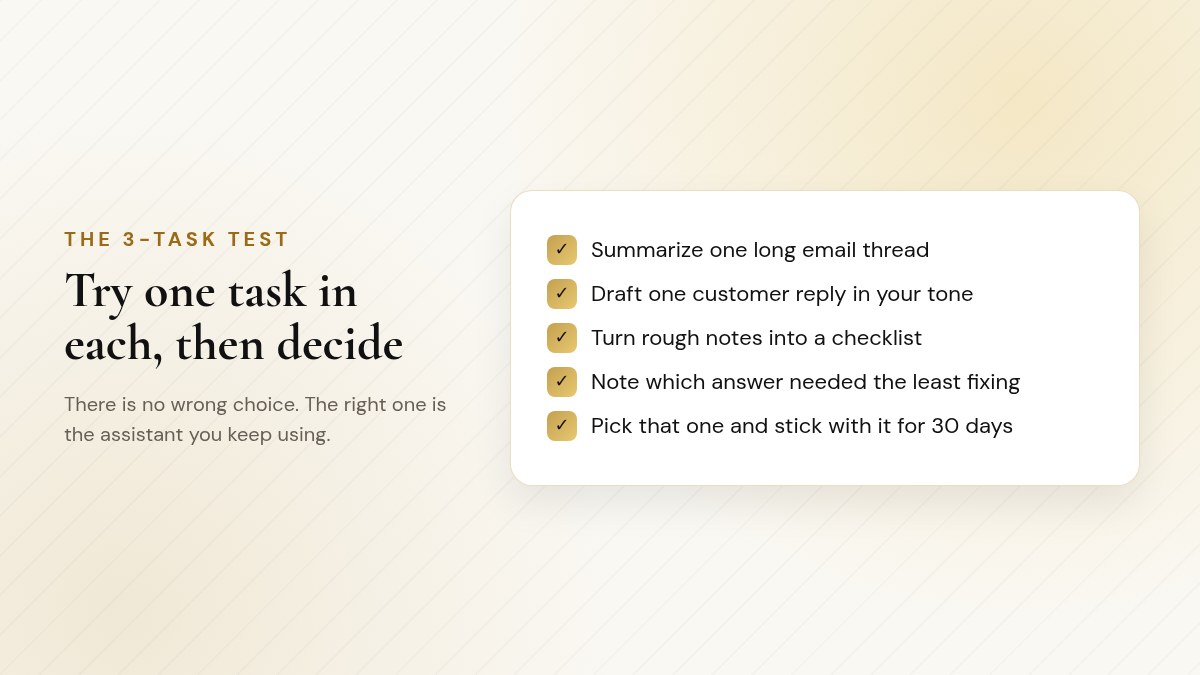
Same three tasks, three assistants. Keep the one that needed the least fixing.
Checklist
Run the 3-task test
Task 1: a reply to a real customer email (with private details removed)
Task 2: a short social post for something happening this week
Task 3: turn today's rough notes into a checklist for your team
Paste the identical prompt into each assistant
Keep the one whose answers you had to fix the least, and use it for 30 days
〉 Try this prompt
I run a [type of business]. Here are my rough notes from today: [notes]. Turn them into a clear checklist my team can follow tomorrow, in plain English, with no more than ten steps.
Commit to your winner for 30 days, which is exactly how long each guide's 30-day plan runs.
Google's AI chatbot launched as Bard in 2023 and was renamed Gemini in February 2024.
Source: Google, The Keyword blog
Common mistakes when choosing an assistant
Most of the frustration beginners feel has little to do with which assistant they picked. It usually comes from one of these habits:
Checklist
Avoid these when you are starting out
Switching tools every week, so you never learn any of them well
Judging an assistant on a one-line request with no context about your business
Testing it on trivia instead of your own real tasks
Paying for the biggest plan before you know which features you will use
Assuming a confident answer is a correct answer
The fix for all five is the same: pick one, use it on real work for 30 days, give it context, and check what matters. After a month you will know far more about what you need than any comparison chart can tell you, including this one.
A few honest tips, whichever you pick
Give it context. Tell it who you are, who your customers are and how you like to sound. Generic requests get generic answers.
Keep private details out. No passwords, card numbers or sensitive customer records.
Save the prompts that work. Your best prompts are reusable. Each guide has a numbered prompt index to start from.
Do not chase every new feature. Learn two or three that help your actual work.
The assistant that helps your business is the one you actually open on Monday morning.
Want more than one? The 5-Pack and the bundle
A lot of owners end up using two assistants: say, Gemini inside Google and Claude for long documents. If you want to learn several, the AI Beginners 5-Pack ($59) includes all five of my beginner guides: ChatGPT, Claude, Grok Bot, Gemini and Muse for Beginners. That covers the three assistants in this post plus two AI agents (Grok Bot, a desktop agent, and Muse, Meta's new agent).
Bundle
AI Beginners 5-Pack
ChatGPT, Claude, Grok Bot, Gemini and Muse for Beginners in one pack.
Five step-by-step beginner guides
140 to 160+ prompts in each guide
Covers three chat assistants and two AI agents
Each guide includes its own 30-day plan
$59Get AI Beginners 5-Pack ($59)
Instant-download PDF · Secure checkout on Payhip
If you would also like a single reference that ties it all together for business, The Complete AI Bundle ($79) includes The AI Bible (about 195 pages, 520+ prompts, with full chapters on ChatGPT, Claude, Grok Bot and Gemini and business playbooks for marketing, sales, email, service and more) plus the same five beginner guides. That is six books in total.
See The Complete AI Bundle ($79)
Instant-download PDF · Secure checkout on Payhip
Frequently asked questions
Which AI assistant is best for a small business?
The one that fits how you already work. ChatGPT is a sensible all-rounder, Claude suits heavy writing and long documents, and Gemini fits businesses that run on Gmail, Docs and Sheets.
Can I use more than one assistant?
Yes. Many owners use two, such as Gemini inside Google and Claude for long documents. The skills you learn carry over.
How do I decide quickly?
Run the 3-task test: give each assistant the same three real tasks and keep the one whose answers you had to fix the least.
Are they always accurate?
No. All three can be wrong while sounding sure. Check facts, names, numbers and policies before anything goes out.
How much are the beginner guides?
ChatGPT, Claude and Gemini for Beginners are $19.99 each. The AI Beginners 5-Pack is $59, and The Complete AI Bundle (The AI Bible plus all five beginner guides) is $79.
What is the difference between the 5-Pack and the Complete AI Bundle?
The 5-Pack is the five beginner guides. The Complete AI Bundle adds The AI Bible, for six books in total.
Prefer to have AI answer your phones?
My agency sets up AI assistants that answer calls, text back missed callers and help run your day, through the American Dreams platform. Book a free discovery call and we will look at where it fits your business.
